
When you're running a Songfly ad campaign on Instagram, Facebook, and/or TikTok, the creative you choose is arguably the most important aspect of your campaign. It's what inspires viewers to either tap on the ad and engage with your track on streaming platforms. Or, if they find it uninteresting, they'll keep scrolling.
Once you start being intentional about the visuals you use, it can make a significant difference in how your ad campaign performs. Keep reading to learn how to make better choices with your ad creative, based on your goals.
What Does SmartCreative Mean for My SongFly Campaign?
Your ad creative determines what potential fans see and hear when your ad appears on the channel you selected for your campaign (Instagram, Facebook, and/or TikTok). The right creative is what makes or breaks your campaign's ability to grab attention.
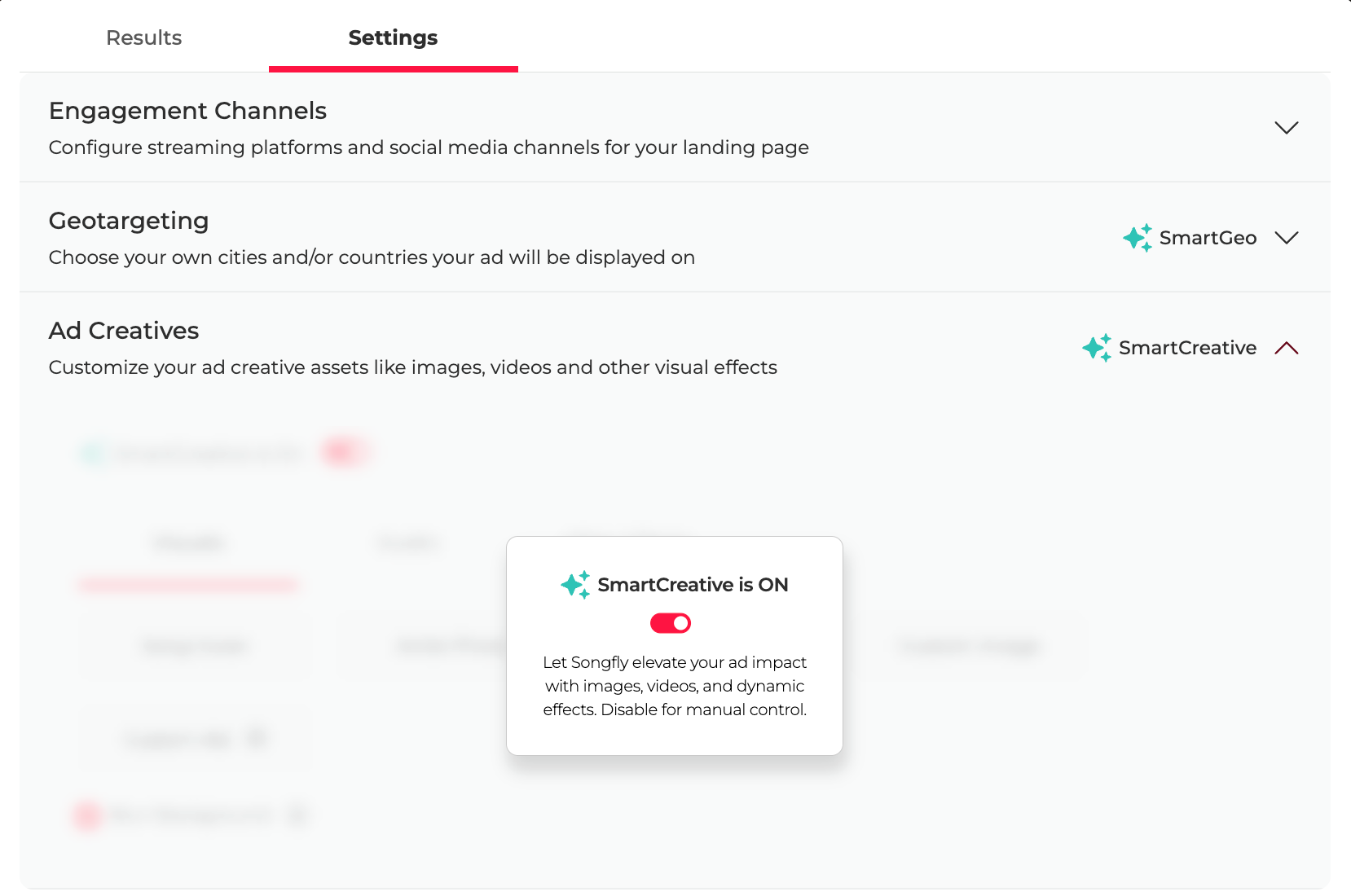
Every SongFly campaign includes the option to keep SmartCreative turned ON or OFF in the Settings tab:
SmartCreative ON (recommended):
- When this is enabled, your ad is automatically adapted for the best possible performance.
- Our system, along with our team, will apply content that aligns with what's resonating most with audiences. This ensures your ad continuously adapts to improve engagement, boost click-through rates, and reach and convert more listeners.
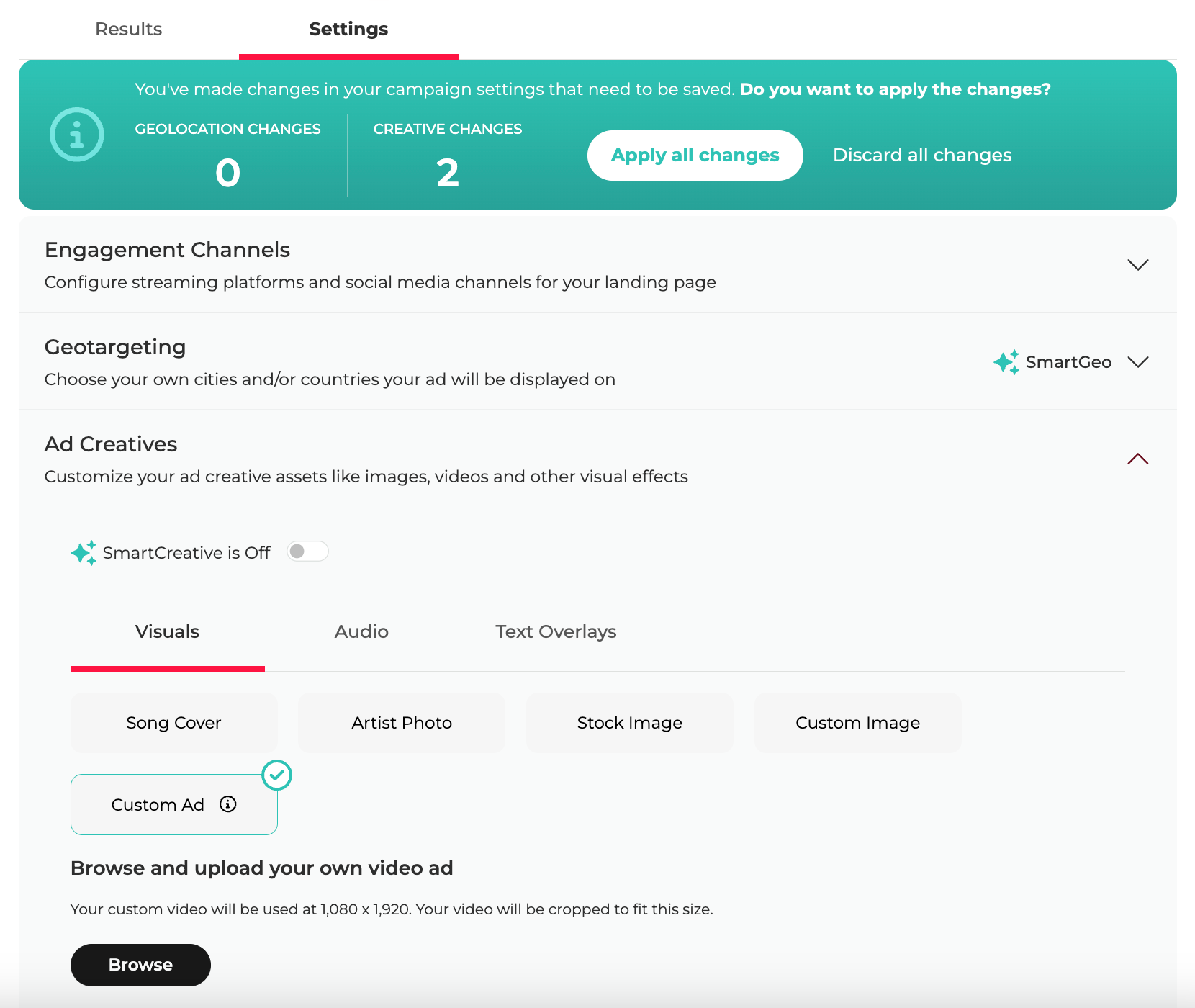
SmartCreative OFF:
- When this is disabled, you manually upload the specific creative you want to use. This means your ad will only show the content you uploaded, regardless of performance and without adapting to viewer engagement.
How do I Manage the Creative for My Songfly Campaign?
To adjust the creative you'd like to use for your SongFly ad:
- Log into your Songtools dashboard on a desktop (creatives can't be managed on mobile).
- Navigate to the "Settings" tab for your SongFly campaign.
- From there, choose whether to:
- Keep SmartCreative ON to allow automatic content optimization, or
- Turn SmartCreative OFF to manually upload the specific creative you want to run.
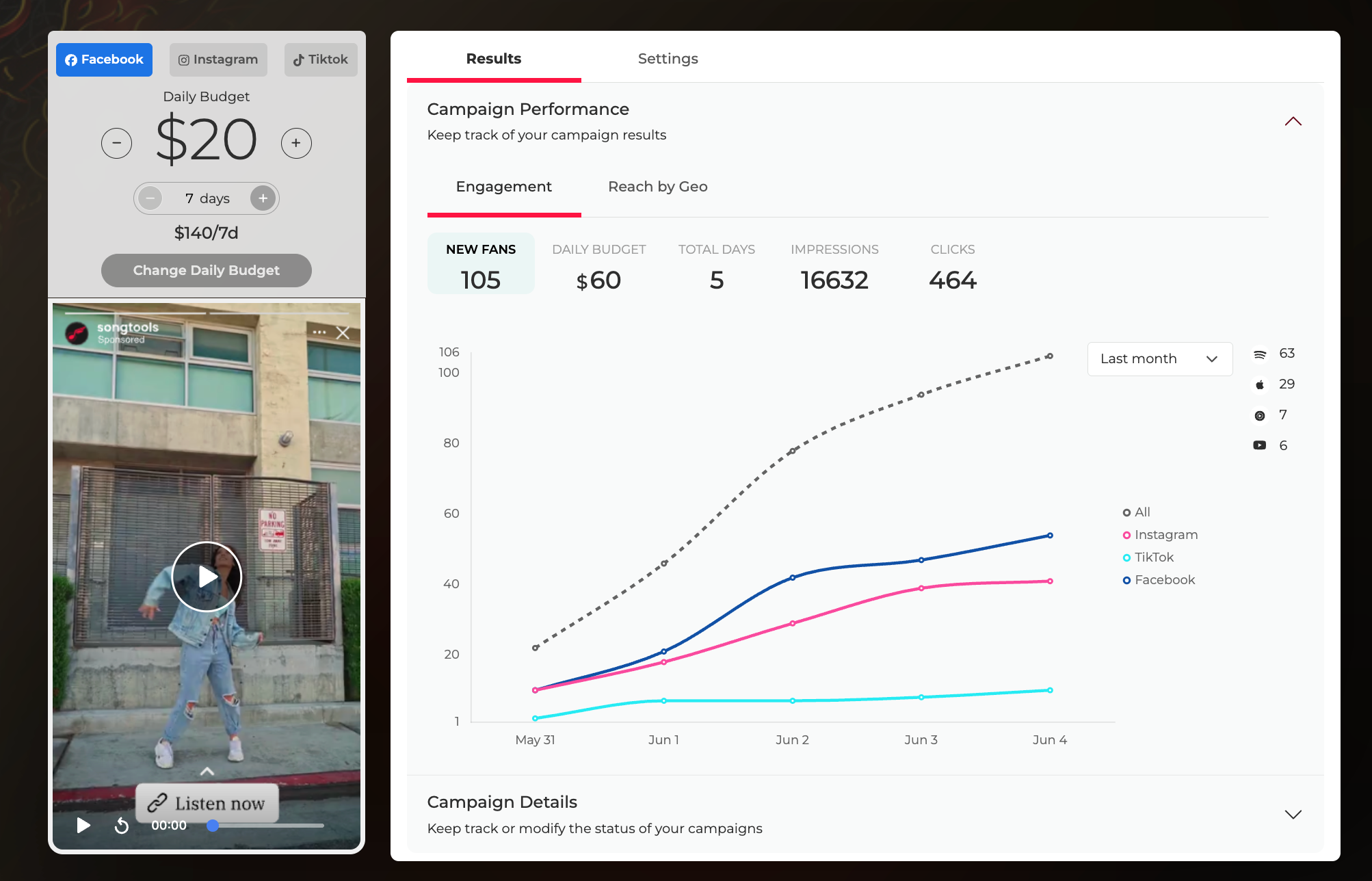
Once selected, your campaign will run based on these settings. It should look something like this in your dashboard:
To view your live ad that's currently running, simply go to your dashboard and click Play on the preview located on the left-hand side. This will show you exactly how your ad appears to new audiences as they come across it on the chosen channel.
Should I Upload My Own Content or Leave SmartCreative ON?
This is a common concern, and the answer depends on the assets you have available and how much control you want over the visuals. You as an artist need to determine which of these scenarios applies to you:
You have proven, high-quality original content:
- If you have artist-created original content that has already proven successful when posted by you, you can turn SmartCreative OFF as soon as your campaign is launched and upload this.
- This includes: clips from your music video, visualizers, lip-sync videos, dancing videos, lyric videos, etc.
You have no original content:
- If you have not created any content for your release and basically only have the song cover, this is a prime example of always keeping SmartCreative turned ON. Our team can go in, look at all the best options, and choose the creative that will perform the best and give your ad the most potential engagement.
You have original content, but you're unsure:
- If you do have some original content but you're unsure about whether it will perform well, this is also a case where you should keep SmartCreative turned ON. Our team can look at your public profiles, our stock video options, and your song cover to choose the best option out of all the ones available.
You have a specific clip you absolutely must use:
- If you have a specific clip that you want to make sure is uploaded and runs as your ad from the very beginning, either turn SmartCreative OFF and upload it from your end, or reach out to our support team (support@songtools.io) and they can ensure this specific creative is set.
What's My Goal With My Ad Creative?
Before choosing your visuals, it helps to ask what you actually want your campaign to accomplish and what assets you have at your disposal.
If you need inspiration on what a successful ad looks like, we have a list of examples of past successful creatives artists have used on their Songfly ads. You can use this resource as inspiration for choosing your creatives: Our Favorite Songfly Creatives of 2025
This way, your creative choices become a strategic decision rather than an experiment, and your campaigns become easier to evaluate, refine, and improve.
Case Studies: SmartCreative in Action
Wondering what this looks like in practice? Below, you'll see two different approaches to a SongFly ad creative. Whether you rely on our system to optimize your visuals or you upload your own original, proven content, the bottom line remains the same: great music paired with the right strategy gets results.
Let's look at how two artists found success using both routes.
- 505 X Hora kept our default visuals and saw an overall increase across metrics like Spotify listeners, Instagram followers, Spotify followers, and new fans 👉 check out their case study + ad creative here!
- Alexa Villa used a high-energy, high-quality visual clip as her ad's creative (sourced and uploaded by our team), which drove impressive results, generating thousands of impressions and clicks, and ultimately leading to a 26% increase in brand-new Spotify listeners 👉 check out her case study + ad creative here!
Key Takeaways
- Creative makes or breaks your campaign. What viewers see directly dictates whether they engage with your track or keep scrolling.
- SmartCreative ON maximizes performance. If you want your ad to consistently adapt to what's likely to perform best and boost your click rate, keeping it enabled is the best route.
- SmartCreative OFF guarantees your exact vision. If you have highly engaging original content or a specific clip you want to push, turning it off ensures only your uploaded content runs.
- Previewing is easy. You can always see exactly how your ad looks to audiences by clicking Play on the preview on the left-hand side of your dashboard.
FAQ's
Q: Can I change my creative once a Songfly campaign is live?
Yes, you can always upload the creative of your choice by heading to the settings and turning SmartCreative OFF. Keep in mind that doing so means the ad will no longer adapt to viewer engagement, and try to give enough time with each creative you can properly gauge performance.
Q: What happens when I update my creative while the campaign is live?
Updating your creative triggers a "Provisioning and Learning" stage. When updates to your ad are submitted to the ad channels (Meta/TikTok), review typically takes less than 24 hours. During this period, your campaign is temporarily paused and will not accrue spend. Once approved, the campaign resumes automatically with the new optimizations to drive better results for your music.
Q: What if I don't have a music video for my release?
If you only have the song cover art or limited assets, simply leave SmartCreative turned ON. Our team will optimize the visual from our end to ensure it performs as well as possible.
Photo by Peter Stumpf on Unsplash





