


The first and most important thing to note about your Marketplace page is that it is custom-made and dynamically adapted to the specific track you are viewing. All the opportunities presented are tailored exclusively for the song you currently have selected in your dashboard.
Each track you want to promote will generate its own unique Marketplace page featuring the most relevant opportunities to target with Signals. This ensures you have the absolute best chance of reaching the right playlists and driving real engagement for each individual song.
Because this page is packed with valuable features, it is vital to understand exactly what you are targeting and how it aids your promotion. Below, we are breaking down every single detail on this page so you understand what everything means and how to navigate it effectively.
The Track Features Section
This section is where you set the tone for the recommendations you receive. The genre and mood you select here will filter and adjust all the opportunities populated across the rest of your Marketplace page.
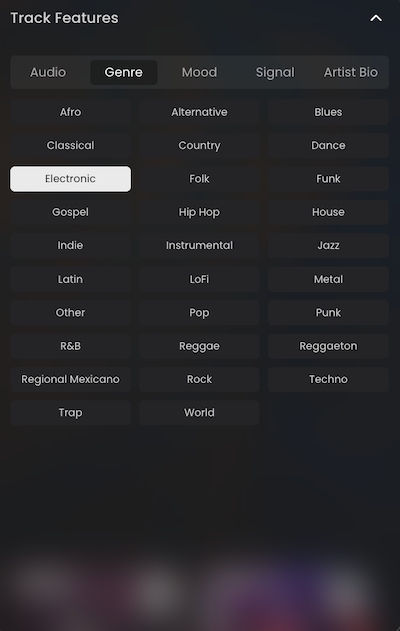
This should always be the very first place you check when setting up a campaign. From this section, you can:
- Ensure your genre and mood tags are accurate.
- Verify that your audio preview highlights an engaging part of the song that will appeal to playlisters and listeners.
- Update your artist bio.
- Record your Signal directly.
Playlisting & Digital Ad Campaigns
At the very top of your Marketplace page, you will always see our traditional Playlisting and Digital Ad campaigns. These are featured first because they act as the essential, long-term campaigns you should consistently utilize to promote all your releases.
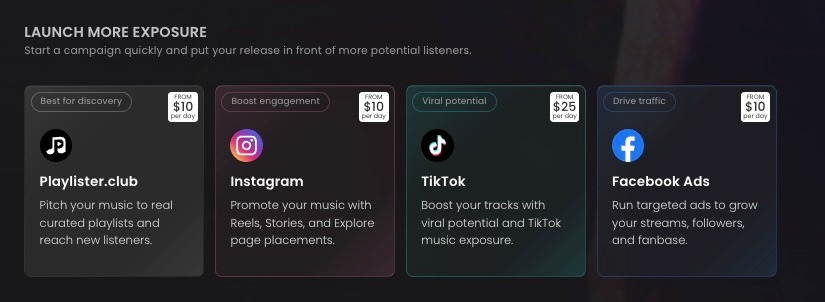
To help you decipher between our playlisting campaigns and the new Signals feature, here is a quick breakdown of how to think about them:
- PlaylisterClub: Best for Broad Reach. This provides automated volume across thousands of playlists with a standard 7-day review window.
- Signals: Best for Precision & Speed. This allows you to hand-pick specific playlists and receive direct video feedback from curators in just 3 days.
The Strategy: You can stack both approaches together for a powerful hybrid approach, or run Signals completely on its own. For niche artists or highly selective campaigns, running Signals solo is often the best route, as it gives you 100% control over your targeting.
Exploring Playlists and Bundles
Once you have launched or added your Playlisting or Digital Ad campaigns to your Wishlist, you can scroll down to explore the highly targeted opportunities specific to your track.
(Note: Because the Marketplace is generated on a track-by-track basis, your specific view will vary based on your song's unique sonic profile. The categories below, however, will guide your journey.)
As you scroll, you will encounter these key sections:
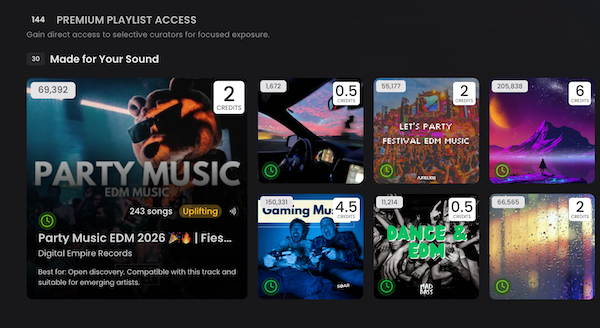
- Made For Your Sound: Specific playlists focused on adding tracks that perfectly match the genre and mood you set in your Track Features.
- Active Curators for this Song: This is crucial for targeting playlisters who are certifiably active. Every playlist features a timer next to it indicating the curator's activity level:
- Green: The playlister is highly active.
- Grey: The playlister is semi-active.
- Red: The playlister is inactive.
- Tip: This section aggregates the most active curators into one place, helping you make informed decisions about where your Signals are likely to have the most impact.
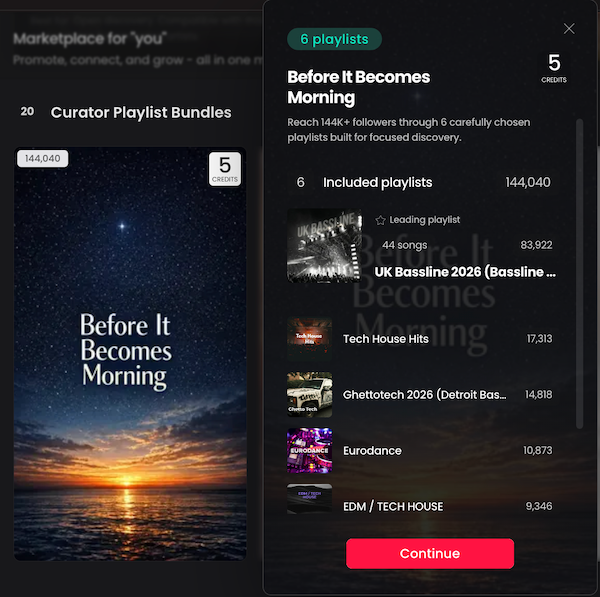
- Curator Playlist Bundles: Custom-built groups of playlists tailored to your sound that you can pitch with a single click. A bundle typically includes a lead playlist (the one with the highest follower count) alongside supporting playlists chosen for broader reach or a stronger sonic fit.
- High Stream Potential: A grouping of relevant playlists with the highest stream ratings. These are proven to have higher listener conversions, meaning they drive actual streams (keep in mind, a stream only counts if a listener stays tuned in for at least 30 seconds).
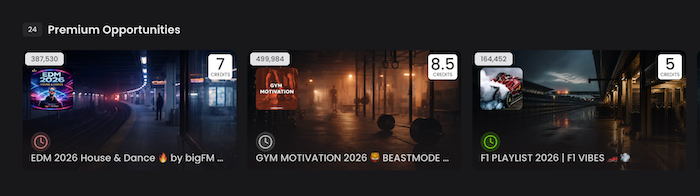
- Premium Opportunities: Top-notch playlists that strongly match your track's qualities, boast proven activity levels, and are highly recommended for your specific sound.
- You Should Also Consider: Located at the bottom of the page, this section displays all remaining available playlists. This expands your options, giving your track the maximum number of opportunities for exposure.
They will look something like this as you scroll:
Inside the Playlist Details Window
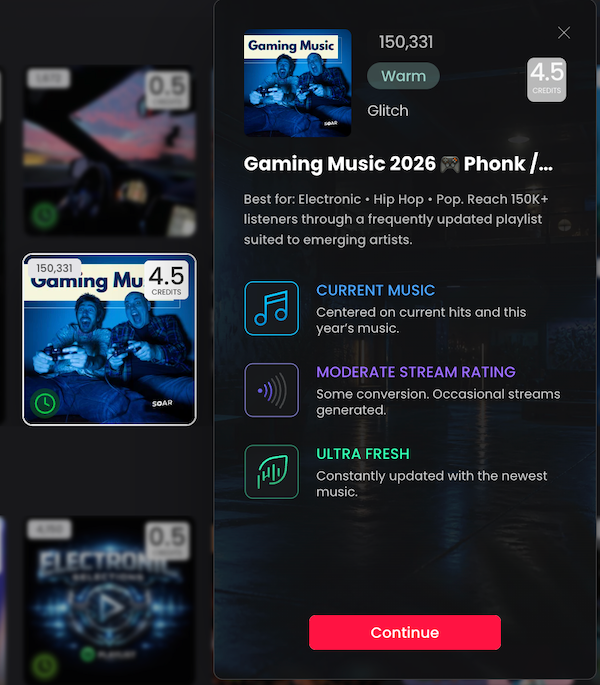
As you build your promotion plan, you will want to read into the specific playlists you are targeting. Clicking on any playlist or bundle will open a pop-up window containing deep insights to help you decide if it is worth your Signals credits.
Here is how to read the data in the details window of each playlist:
- Key Stats: View the total number of Spotify saves, the specific mood the playlist was matched with, the playlister's name, and the exact credit cost to send a Signal.
- Direct Link: You can click the playlist image to be taken directly to the playlist on Spotify.
- Playlist Profile: Displays the playlist's name alongside a "Best For:" snippet, providing a quick summary of the exact type of tracks the curator is looking for.
- Music Type: Indicates the era or style of the playlist (e.g., "Current Music" for recent releases, or "Legacy Classics" for older, enduring hits).
- Stream Rating: A quick breakdown of whether the playlist drives high conversions with real listeners or if it historically has a weaker stream rating.
- Freshness / Activity Level: A metric showing how frequently the playlister updates the playlist with fresh music.
How to read the details for Bundles:
- When clicking on Bundles, you will always see the leading playlist listed first, and the other featured playlists listed below it.
- Those numbers next to each playlist also reflect the total number of Spotify saves.
Bringing It All Together: The Wishlist
As highlighted in Your Guide to the Signals Marketplace, the Wishlist (located on the right-hand side of your screen) is the ultimate tool for organizing your promotion.
As you scroll through your customized Marketplace, you can save and edit opportunities directly in your Wishlist before finalizing any purchases. You can add playlisting or digital ad campaigns, individual playlists, and curator Bundles all in one place, allowing you to review your entire strategy and check out all at once.
(To better understand how to utilize your credits for these campaigns, check out our resource: How to Spend Your Wallet Credits for Maximum Impact).
Once you understand how to navigate your track's Marketplace, analyze the data, and build your Wishlist, you are fully equipped to secure the best discovery opportunities for your music and steadily build your fanbase!
Key Takeaways
- Because the Marketplace is dynamically generated on a track-by-track basis, accurately setting your genre, mood, and audio preview in the Track Features section is the critical first step to ensuring you are matched with the right curators.
- You do not have to choose between playlisting campaigns and Signals. The most effective release strategies often stack both: using traditional campaigns for automated, wide exposure and Signals for direct, high-value curator connections.
- Do not pitch blindly. By analyzing the activity timers, stream ratings, and curator preferences provided in the playlist details window, you can strategically allocate your credits to the most active, high-converting opportunities.
- The Wishlist is your shopping cart, and ultimate campaign builder. Use it to curate, review, and refine your mix of bundles, single playlists, and traditional campaigns into one cohesive promotional launch.


